How to Check If a Domain Name Is Available (and What to Do If It's Taken)
By Byteary Team · Sep 28, 2026 · 8 min read
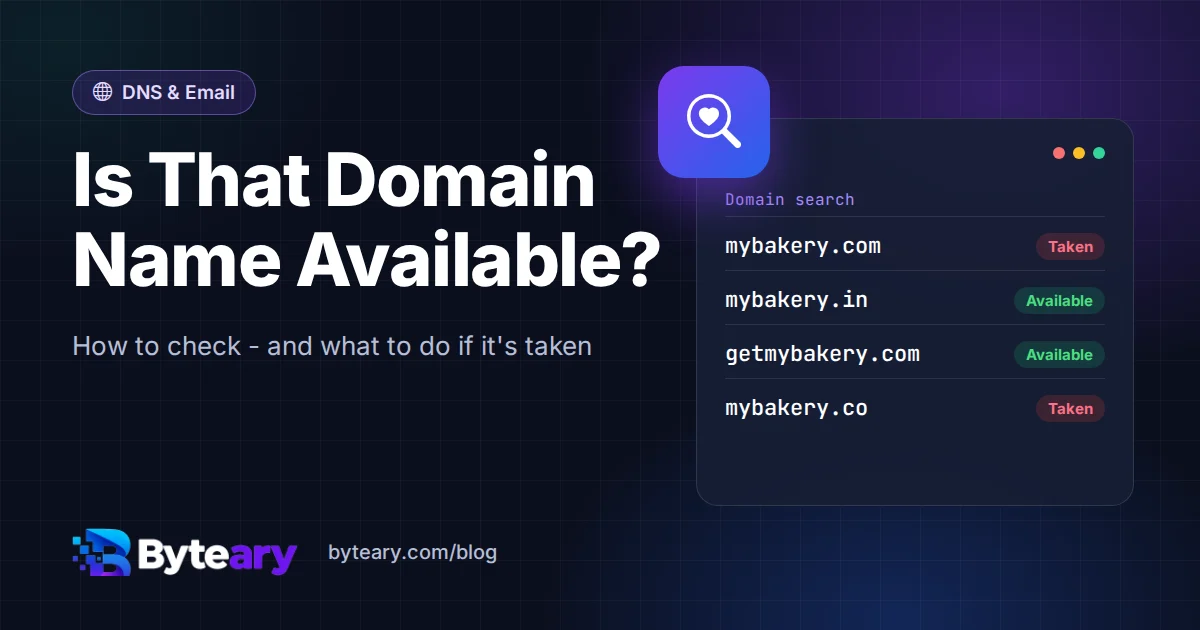
You have a name for your business, blog or side project, and it sounds great out loud. Before you print business cards or tell anyone, there is one thing to check: is the domain free? It takes about ten seconds to find out. Knowing what to do with the answer takes a little longer, especially when the name you wanted is already gone.
How to check a domain in 10 seconds
- Open the Domain Availability Checker.
- Type the full domain, extension included -
mybakery.com, not justmybakery. Leave outhttps://andwww. - Click Check Availability.
The tool looks up the live registration record for that exact name using RDAP, and falls back to WHOIS where a registry has no RDAP service yet. You get one of two answers: available (no registration record exists) or registered (someone owns it, and you will see the registrar and expiry date).
Check each extension separately. mybakery.com, mybakery.in and mybakery.co are three different domains, and each one can have a different owner.
"Available" does not mean "yours"
An available result means nobody has registered the name right now. It does not hold the domain for you. Anyone in the world can register it a minute later, and domains are first come, first served.
So if you find a name you love, register it the same day. A year of a normal .com costs about as much as a pizza, and losing the name to someone faster hurts much more.
Two situations can make an "available" domain harder to buy than you expect:
- Premium domains. Registries keep some short or dictionary-word names back and sell them at a higher price. You will see the real price at checkout.
- Recently expired domains. A name that has only just been dropped can take a few days to clear through the registry before a registrar will let you buy it.
"Registered" does not mean there is a website
This one surprises a lot of people. You type the address into a browser, get an error page, and assume nobody is using the name. But registration and having a website are two separate things. A domain can be registered and:
- held by a company for a product that has not launched yet,
- used only for email, with no website at all,
- parked by an investor who wants to sell it,
- simply forgotten by an owner who keeps auto-renewing it.
The registration record is the only reliable answer. If the checker says registered, the name is taken, whatever the browser shows.
When does a taken domain become free again?
If the owner stops paying, the domain does not become available the next morning. For generic extensions like .com, .net and .org, it goes through a set of stages first.
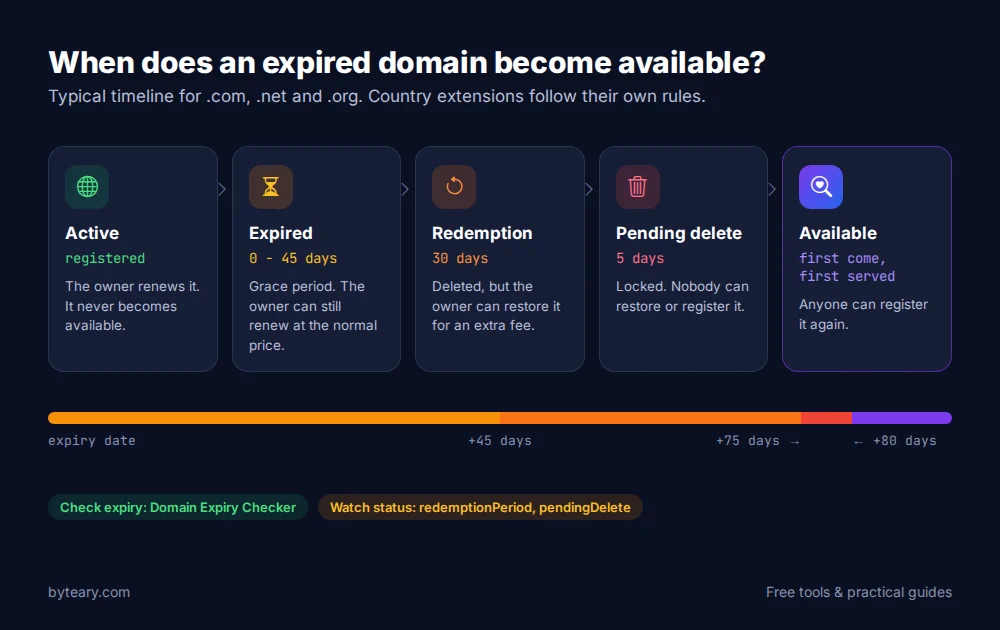
| Stage | How long | What happens |
|---|---|---|
| Expired (grace period) | Up to 45 days, set by the registrar | The site may stop working, but the owner can still renew at the normal price. |
| Redemption period | 30 days | The registrar has deleted it. The owner can still restore it, usually for a large extra fee. |
| Pending delete | 5 days | Nobody can restore it now. The registry is about to release it. |
| Available | - | Anyone can register it again. |
Country extensions such as .in or .uk follow their own registry rules, so the timings can differ. You can see which stage a domain is in from its status codes in a WHOIS / RDAP Lookup - redemptionPeriod and pendingDelete mean it is on its way out. Our guide to reading WHOIS and RDAP records explains every status code.
Your name is taken. Now what?
Do not give up on the idea straight away. There are six realistic options, roughly from easiest to hardest.
1. Try a different extension
.com is still the one most people type by default, but it is not the only choice. A local extension like .in can look more trustworthy to customers in that country, and .io, .dev or .app are common for tech projects. The TLD Information tool shows who runs an extension and how it is managed.
One word of caution: if a company already uses the .com, some of your visitors and emails will end up there by mistake. That matters more for a shop than for a personal blog.
2. Add a short word
Small additions often keep the name recognisable: getmybakery.com, mybakeryshop.com, mybakery-delhi.com, trymybakery.com. Read each one out loud. If you have to spell it out on the phone ("my bakery, then a dash, then..."), keep looking.
3. Check when it expires
Run the name through the Domain Expiry Checker. If it expires soon and the site looks abandoned, there is a small chance the owner will let it go. Do not count on it: most domains are set to auto-renew, and a domain that has been renewed for years usually keeps being renewed. The Domain Age Checker tells you how long it has been held.
4. Use a backorder service
Many registrars offer a "backorder": they try to register the domain for you the moment it is released. It costs money and only works if the domain really drops, but it beats setting an alarm for pending-delete day.
5. Contact the owner
Owner details are hidden in most records these days - the WHOIS Privacy Checker tells you if that is the case. Hidden does not mean unreachable, though. Most records include a contact form or a forwarding email address, and a parked domain usually shows a "this domain is for sale" page.
Keep your first message short and do not sound too keen, because a seller who knows you really want it will raise the price. If the domain is expensive, use an escrow service rather than paying someone directly.
6. Pick a different name
Sometimes this is the best option. If the only version you can get is long, hyphenated and on an extension nobody has heard of, a fresh name that is fully available will serve you better for years.
Five checks before you register
- Say it out loud. If people would spell it two different ways, you will lose visitors to the other spelling.
- Keep it short. Shorter names are easier to remember and to type on a phone.
- Avoid numbers and double letters. "Was that 4 or four?" and
shoppinggenie.comboth cause typos. - Search for trademarks. A name that matches an existing brand can be taken away from you through a dispute. The WIPO Global Brand Database is a free place to start.
- Check the social handles too. It helps if the same name is free on the platforms your customers use.
Thinking about a name with accents or a non-Latin script, like café.com? Those are stored in an ASCII form called Punycode. The Punycode Converter shows what the domain really looks like behind the scenes.
After you register: three quick setup jobs
- Turn on auto-renew and make sure the account email is one you actually read. Most lost domains are simply forgotten renewals.
- Point the domain at your hosting. This means setting its nameservers or DNS records - our guide to DNS records covers A, CNAME and MX records in plain English. The Nameserver Lookup confirms the change is live.
- Set up email properly. If you will send email from the domain, add SPF, DKIM and DMARC so your messages do not land in spam. See SPF, DKIM and DMARC explained.
Still need somewhere to host the site? When the Domain Availability Checker finds a free name, it also shows a hosting deal from our partner, so you can register the domain and get the site online in one go.
Frequently asked questions
Can someone see that I searched for a domain and register it first?
Checking a domain here is a read-only lookup against public registration data. Still, the safest habit is the same everywhere: once you have decided on a name, register it straight away instead of coming back next week.
Is a domain free forever once I buy it?
No. You rent a domain for one to ten years at a time and have to renew it before it expires. If you do not, it goes through the expiry stages above and anyone can register it afterwards.
Why does the checker say "registered" when the site does not load?
Because the domain is registered but has no working website - it might be parked, used only for email, or waiting for a launch. The registration record is what counts.
Where can I double-check a result?
ICANN runs an official registration data lookup for generic extensions. Your registrar's search is the final word, because it is the one that will actually sell you the name.