How to Write a SECURITY.md Security Policy for Your Project
By Byteary Team · Sep 23, 2026 · 3 min read
Sooner or later, someone will find a security problem in your project. What happens next depends on whether they know how to tell you privately. Without a policy, the honest researcher's only option is often a public issue - which tells attackers about the hole before you have fixed it. A SECURITY.md file prevents that in about fifteen minutes of work.
What a security policy must answer
- Which versions get security fixes? So reporters and users know whether a problem in an old version matters.
- How do I report a problem privately? One clear channel.
- What should I include? Enough detail to reproduce it.
- What happens next? When you will respond, and how disclosure works.
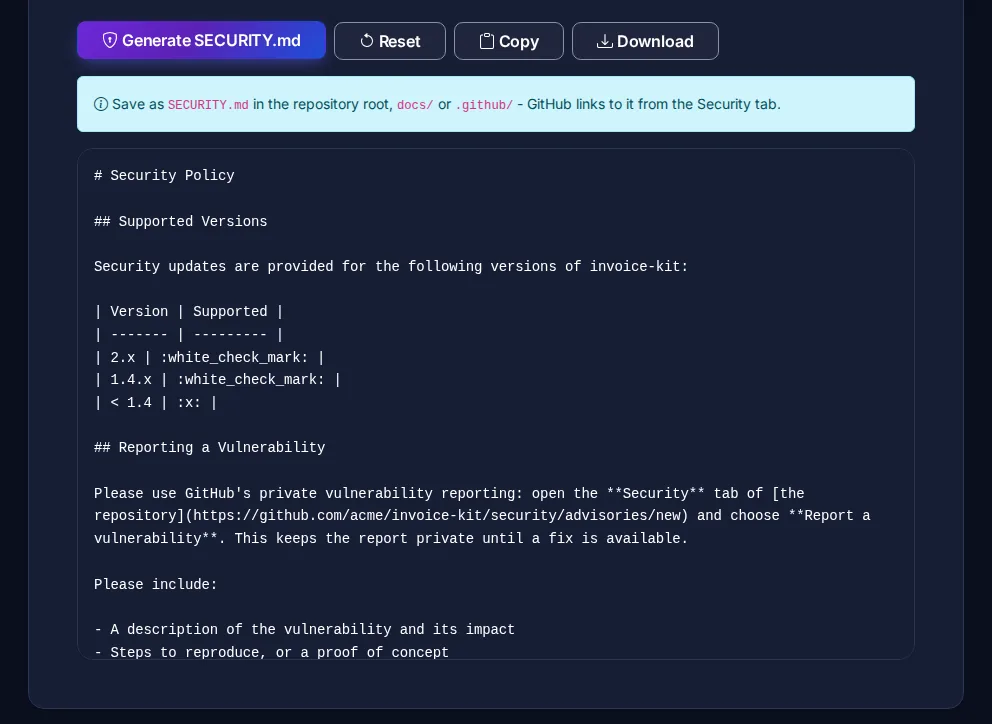
Save the file as SECURITY.md in the repository root, docs/ or .github/. GitHub links to it from the repository's Security tab and shows it to people opening new issues. The SECURITY.md Generator writes a complete policy from these answers.
Choose a private reporting channel
| Channel | Good for | Watch out for |
|---|---|---|
| GitHub private vulnerability reporting | Open source projects on GitHub | Must be enabled in the repository settings under Code security. |
| A security email address | Companies and projects outside GitHub | Someone must read it; use a shared inbox, not one person's address. |
| A web form or bug bounty platform | Larger organisations | Adds process - make sure the form works without an account. |
With GitHub private vulnerability reporting, a reporter fills in a form on the Security tab and a private draft advisory is created. You can discuss the issue, work on a fix in a private fork, request a CVE and publish the advisory when the fix is out.
Set expectations you can keep
A policy that promises a 24-hour response and then goes silent for a month damages trust more than no policy at all. For a small team, reasonable commitments are:
- Acknowledge a report within 3 business days.
- Confirm whether it is accepted, and keep the reporter updated.
- Aim to release a fix within about 30 to 90 days, depending on severity.
- Agree a disclosure date with the reporter once the fix is available, and credit them if they wish.
Scope and good-faith research
Say what you do not want reported - for example, automated scanner output without a demonstrated impact, or known issues in third-party dependencies that should go upstream. Many projects also add a short "good-faith research" statement saying they will not pursue researchers who report responsibly, avoid privacy violations and data destruction, and give the team time to fix the issue. For a company, have legal review that wording.
SECURITY.md vs security.txt
SECURITY.md covers a code repository. For a website, the equivalent is a security.txt file served at /.well-known/security.txt, defined in RFC 9116, with a Contact: line and an Expires: date. If you run both a product and its website, publish both and point them to the same channel.
A security policy is one part of the picture. Check your site's configuration with the Security Headers Checker and our HTTP security headers checklist, and link the policy from your README and CONTRIBUTING guide.